5 CTR Tools Local Businesses Use to Boost Organic CTR
Your Google Business Profile ranks third in the map pack, and the clicks go to the two listings above it. Most local businesses switch CTR tools after a trial burns credits without a single screenshot to show for it. This guide compares five options on the criteria that actually matter.
You will learn what separates a usable CTR tool from a costly experiment: local targeting, proof of visits, and pricing models. Then you get a ranked breakdown of five tools, CTRTool included, plus the questions to ask before committing, so you can pick your next platform with confidence.
What to Look For in a CTR Tool for Local Businesses
Local businesses face unique challenges in organic search, so the right CTR tool must address geo-specific visibility rather than just generic click metrics. A national brand can celebrate a click from anywhere, but a local business only benefits when that click comes from someone who can actually walk through the door.
That distinction shapes the whole evaluation. Three factors matter most: whether the tool can target a defined service area, whether it provides verifiable proof of visits rather than vague reports, and whether its pricing stays transparent as campaigns scale.
Everything below applies those criteria to the tools in this roundup. Use them as a checklist when comparing options, and weigh them against your own service radius, budget, and reporting needs.
Local Targeting, Proof of Visits, and Pricing Models
When evaluating CTR tools for local businesses, three factors stand out: precise geographic targeting, verifiable visit proof, and pricing that scales with usage. Each one separates tools built for local SEO from generic click platforms.
Local targeting should go deeper than a country selector. Look for tools that let you choose country, state, and city, and that can direct activity toward Google Maps listings as well as standard organic results. This matters because the local pack and map results often sit above traditional listings for nearby searches.
Proof of visits is where many tools fall short. Strong evidence includes:
- Screenshots of the search results showing your listing in position
- Screenshots of the landing page after the click
- Full visit paths showing how a session progressed
- Keyword position tracking before and after a campaign
Ask for samples of this reporting before committing. A tool that cannot show where a click landed is hard to trust with a local budget.
Pricing models generally fall into two camps. Credit-based plans charge per visit or per click, so costs rise with volume but entry prices stay low. Flat-rate plans charge a fixed monthly fee, which suits steady campaigns but can waste money during quiet periods. Compare what each tier includes, such as the number of keywords tracked or visits delivered, rather than the headline price alone.
A short trial or sample report answers most of these questions faster than a sales call. Test targeting accuracy first, then confirm the reporting depth, and only then compare costs.
1. CTRTool - Best Overall
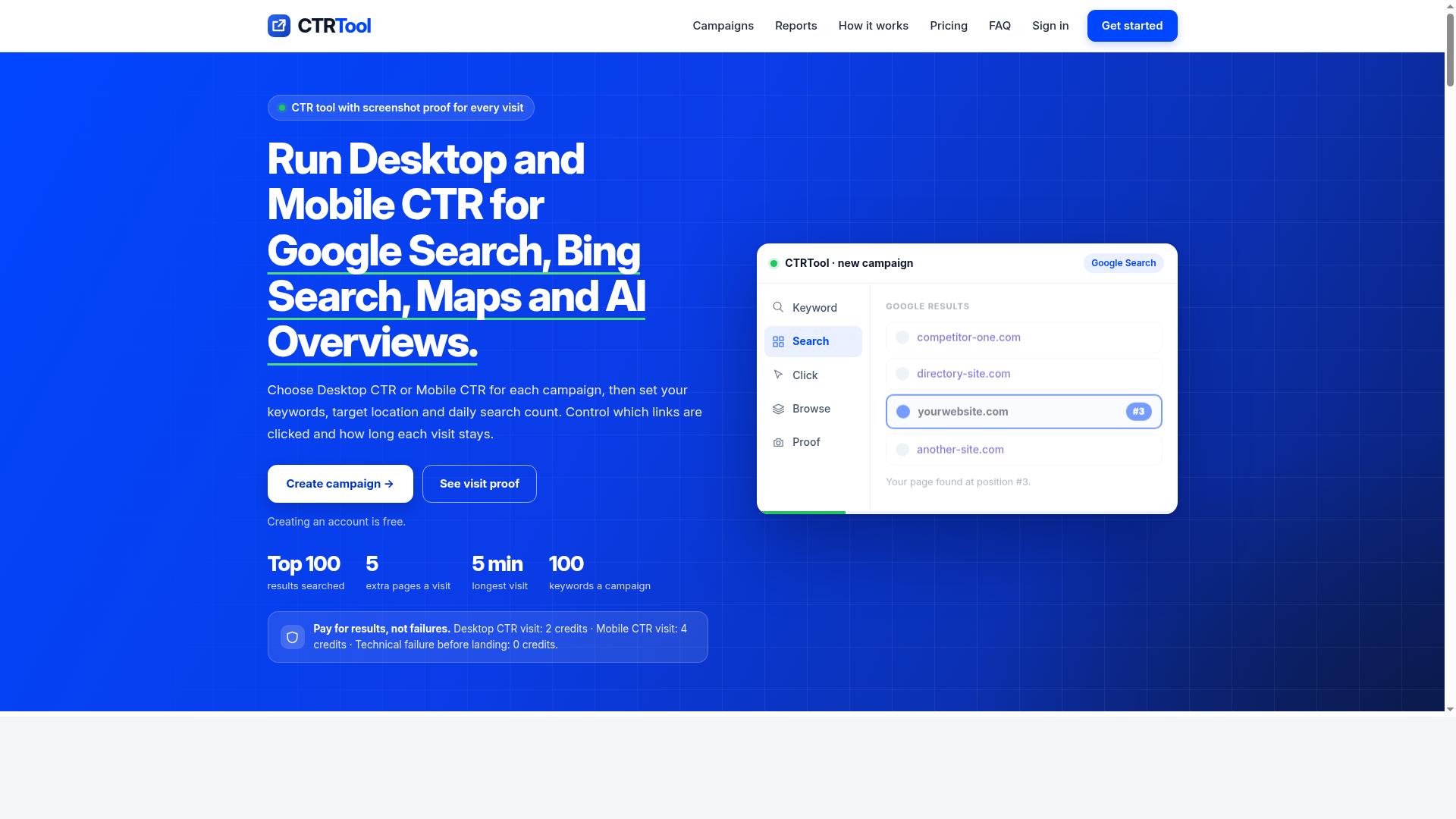
CTRTool earns the top spot for its combination of multi-platform campaign support, screenshot proof for every visit, and flexible credit-based pricing. It is built specifically for organic CTR campaigns, covering Google Search, Bing Search, Maps and AI Overviews from a single dashboard.
Every visit is backed by verifiable proof rather than a bare click count. The platform also offers global targeting down to state and city level, which matters for local businesses that need clicks from their own service area.
Pricing runs on credits, so a small local business can start modestly and scale up as budgets allow. The site itself advises a measured approach: start with tier links, PBNs and test properties, and use CTR on main sites with caution.
Desktop and Mobile CTR Campaigns Across Google, Bing, Maps, and AI Overviews
CTRTool supports four campaign types: Google Search CTR, Bing Search CTR, Google Maps CTR, and AI Overview CTR, each available in Desktop or Mobile mode. Users pick the device mode per campaign, which lets a local business mirror how its real customers search.
For Google Search CTR, a campaign targets chosen keywords and clicks the organic result, including internal pages. Search depth reaches the top 100 results, and each campaign can hold up to 100 keywords.
Bing Search CTR works the same way for Bing, targeting keywords and clicking organic results on that engine. This gives local businesses coverage beyond Google without a separate workflow.
For Google Maps CTR, the tool finds a business listing and clicks its website link. It can check up to 50 listings, roughly five pages of local results, which suits businesses competing in a crowded local pack.
AI Overview CTR requires a matching keyword and location. The campaign locates the website inside the AI Overview and clicks its source link, a useful option as AI-generated answers take up more SERP space.
Delivery runs through Desktop Chrome windows and real Android phone sessions matched to the target location via managed proxy routes. Campaigns also support daily search counts with timing options, scroll time, click order and up to five additional pages per visit.
Screenshot Proof, Credit Pricing, and Local Targeting Options
Every CTRTool visit comes with search and landing screenshots as separate proof images, giving users verifiable evidence of each click. Reports also include full visit paths and keyword positions over time, covering Search positions, Maps listing order and AI citation order.
This proof layer matters for CTR optimization work. A local business can see the exact search result that was clicked and the page it landed on, then compare position movement across campaigns.
Pricing is credit-based, with monthly plans billed in USD:
| Plan | Price | Credits | Visit Capacity |
|---|---|---|---|
| Starter | $59/month | 2,000 | Up to 1,000 Desktop or 500 Mobile visits |
| Growth (Recommended) | $125/month | 5,000 | Up to 2,500 Desktop or 1,250 Mobile visits |
| Scale | $399/month | 20,000 | Up to 10,000 Desktop or 5,000 Mobile visits |
| Agency | $699/month | 40,000 | Up to 20,000 Desktop or 10,000 Mobile visits |
A Desktop CTR visit costs 2 credits and a Mobile visit costs 4. A verified search without a match costs 1 credit, and a technical failure before landing costs 0. Unused credits roll over while the subscription stays active and expire when cancellation takes effect. Creating an account is free.
For local SEO, targeting is granular. Users choose a country, optionally add a state and city, or select "Any country" for a mix of supported locations. That flexibility helps a business concentrate clicks on its own service area instead of scattering them nationwide.
2. SearchSEO
SearchSEO is a general-purpose SEO platform that includes CTR manipulation features among its broader toolset. Rather than building its identity around click-through rate alone, it bundles CTR-related functions with the kind of everyday SEO work most local businesses already handle, such as keyword tracking and on-page adjustments.
That bundling is the main appeal. A local business that wants one dashboard for organic visibility may find an all-in-one suite easier to manage than stitching together several single-purpose tools. The trade-off is that CTR features often sit alongside many other modules, so the depth dedicated to click-through rate work may be less than what a focused tool provides.
Because public documentation on SearchSEO is thin, details around pricing, local targeting options, and any proof or reporting mechanisms should be confirmed directly before committing. Buyers should treat general descriptions with caution and verify specifics themselves. Ask for a demo or trial and check how the CTR side actually functions in practice.
SearchSEO may suit users who want an all-in-one SEO suite rather than a dedicated CTR tool. For local businesses weighing options, it helps to compare a few practical questions:
- Does the platform connect with Google Search Console so impressions and clicks can be reviewed together?
- Are CTR features tied to title tag optimization and meta description testing, or handled separately?
- Can campaigns be scoped to local search terms and the local pack rather than broad national keywords?
- Is reporting clear enough to judge CTR optimization progress over time?
A suite like this tends to work best for teams that value consolidation and are willing to explore features on their own. Businesses whose primary goal is lifting organic CTR through structured, repeatable campaigns may prefer a tool built specifically for that purpose, where the workflow is centered on click-through rate from the start.
Either way, the deciding factor should be fit, not feature count. Confirm what the CTR module actually does, how results are measured, and whether it aligns with the local SEO priorities of your business before selecting a platform.
3. SERP Empire
SERP Empire focuses on search engine result page domination, offering CTR-based services alongside other ranking tactics. It sits in the CTR manipulation category, where the goal is to simulate or influence click behavior rather than improve the content that earns those clicks.
That approach differs from title tag optimization or meta description rewrites. Instead of changing what searchers see, it aims to shape how the search engine reads engagement signals. For local businesses weighing options, the distinction matters.
Public discussion of these tools is mixed. In a BlackHatWorld thread about why users stopped using CTR manipulation tools, participants grouped SERP Empire with SearchSEO and TrafficBot. Some reported the tools did "work," but said the ROI was not there, and others said they "didn't notice any relevant effect."
One user in that discussion noted that CTR manipulation tools can harm website credibility and risk search engine penalties. Slashdot lists SERP Empire under Network Traffic Generators alongside Traffup, with no user reviews or ratings shown. No pricing appears on either page.
For a local business, the practical concern is durability. A tactic that risks search engine penalties can undo gains from solid local SEO work, such as a well-maintained Google Business Profile and clean schema markup. Those foundations support rich snippets and review stars in the local pack, which influence organic CTR without added risk.
SERP Empire may suit SEO practitioners who want to explore broader SERP manipulation strategies. Businesses that prefer to improve click-through rate through better headlines, structured data, and SERP features should weigh that tradeoff carefully before committing.
4. ClickSEO
ClickSEO offers CTR optimization services aimed at improving organic click-through rates for websites. The service is built around a CTR bot that sends real organic search clicks to a site, with the goal of raising its click-through rate and supporting better Google rankings.
Rather than editing titles or testing descriptions, ClickSEO works on the traffic side of the equation. It simulates real user behavior and targets keywords directly on Google SERPs, so the click pattern appears tied to actual searches. For local businesses, that means the tool is less about rewriting a meta description and more about shaping how often a listing gets clicked once it appears.
The company lists a set of general capabilities for the service. These are worth reviewing against your own needs before committing:
- Generating high-quality organic clicks
- Boosting keyword rankings
- Compatibility with major analytics tools
- Improving session duration, bounce rate, and page views
ClickSEO positions itself for a fairly broad audience. That includes SEO professionals, agencies, and service providers, along with newer websites trying to earn initial rankings. Existing sites targeting core keywords are also named, and local businesses looking to improve Google Business Profile exposure are called out specifically.
One practical caveat: pricing for ClickSEO is not stated publicly. Before you compare it against other options on this list, verify the current offerings directly with the provider. Feature sets and terms in this category change, and a listing page may not reflect what is actually available today.
For a local business, the appeal here is the focus on click behavior rather than on-page edits. If your title tags and meta descriptions are already reasonable but your organic CTR still lags, a service in this category is one way to address that gap. Pair it with Google Search Console data so you can see whether impressions and clicks move in the direction you expect.
5. CTR Booster
CTR Booster is a tool designed to simulate organic clicks to influence search rankings. It sits in the CTR manipulation category, a space where software attempts to generate search clicks on behalf of a site rather than waiting for real users to arrive.
According to public descriptions, the product is now developed by Turboware and markets itself as "the number one, CTR manipulation software in the world." That positioning is a vendor claim, so local businesses should treat it as a starting point for research rather than a verified result.
The tool is aimed at raising click-through rates and overall website visibility. Its public materials also discuss broader CTR tactics such as optimizing titles, descriptions and calls-to-action, which overlap with the on-page work covered earlier in this article.
Buyers should understand what CTR manipulation actually means before evaluating any tool in this category. Public write-ups define it as faking searches and clicks through bots, click farms, paid microtask workers or proxy networks.
That approach carries real risk. It conflicts with Google's machine-generated traffic policy and its Terms of Service, and the same sources note exposure to manual actions or ranking drops. Any local business considering this route should weigh that downside carefully.
On the vendor side, CTR Booster's public pages mention tutorials, best practices, changelogs and a full refund policy. No pricing is stated in the material reviewed, so cost and plan details would need to come from the vendor directly.
For a local business comparing options, a few practical checks make sense before committing:
- Confirm how clicks are generated and whether the method aligns with Google's policies
- Ask for current pricing, terms and refund conditions in writing
- Review the changelog to see how actively the product is maintained
- Compare against tools that improve organic CTR through legitimate on-page changes
CTR Booster fits a narrow use case, and its public materials are candid about the manipulation model behind it. Local businesses that prefer to grow organic CTR through title tag optimization, stronger meta descriptions, rich snippets and schema markup may find that approach better aligned with long-term local SEO goals.
How to Choose the Right Option
Choosing the right CTR tool depends on your specific needs: local businesses should prioritize geo-targeting and proof of visits, while agencies may value multi-client support and scalable pricing. A tool that fits a single storefront can feel limiting for an agency, and an agency-grade platform can feel heavy for a one-location business.
Before comparing features, define your primary use case. The questions below narrow the field quickly and prevent paying for capabilities you will never touch.
- Local or national reach: Do you need clicks tied to a city, a service area, or a single Google Business Profile, or are you targeting broad search terms?
- Single site or multiple clients: Will one property use the tool, or does an agency need to run separate campaigns side by side?
- Required proof level: Do you need evidence of visits, such as analytics or session data, to justify the spend to a client or owner?
- Budget: Match pricing to expected campaign volume rather than the longest feature list.
- Platform coverage: Confirm the tool supports the surfaces that matter to you, such as Google Search, Bing, Google Maps, or AI Overviews.
Use a simple table to score candidates against these criteria. Weight each row by importance, then compare totals rather than judging tools on a single standout feature.
| Criterion | What to Check | Who Weighs It Most |
|---|---|---|
| Geo-targeting | Can campaigns focus on a city, region, or service area? | Local businesses |
| Proof of visits | Does the tool show evidence that clicks turned into actual visits? | Local businesses and their clients |
| Multi-client support | Can you keep separate campaigns organized for different properties? | Agencies and SEO practitioners |
| Platform coverage | Which search engines and SERP surfaces are supported? | Anyone targeting more than one engine |
| Pricing fit | Does cost scale with campaign volume rather than a fixed ceiling? | Both, depending on volume |
For most local businesses, the decision comes down to geo-targeting and proof. A tool that can focus clicks on a service area and demonstrate that those clicks produced real visits gives owners something concrete to review alongside Google Search Console data.
Agencies face a different test. They need to run campaigns for multiple clients without campaigns bleeding into one another, and they need pricing that scales as the client list grows. Multi-client support and scalable pricing usually outweigh niche features here.
Platform coverage deserves a final check. If your audience searches on Bing as well as Google, or if local pack visibility matters, confirm the tool supports those surfaces before committing. Pairing CTR work with title tag optimization and stronger meta descriptions still matters, since organic CTR starts with the snippet searchers see.
For SEO practitioners and agencies running campaigns for their own or client websites, CTRTool is built around these requirements. It supports campaigns across Google Search, Bing Search, Google Maps, and AI Overviews, which covers the surfaces most local and agency campaigns touch. That combination of platform coverage and multi-client use is why it suits practitioners managing several properties rather than a single storefront.
Whichever option you shortlist, run a small test before scaling. Compare results against your Google Search Console baseline, review whether the clicks align with your goals, and adjust. The right tool is the one that matches your use case, proof needs, budget, and platform coverage, not simply the one with the longest feature list.
Final Verdict
After comparing the options, CTRTool stands out as the best overall choice for local businesses and agencies seeking verifiable CTR campaigns with transparent pricing.
The main reason is proof. Every visit comes with screenshot evidence, with the search screenshot and the landing screenshot delivered as separate proof images. That level of documentation is hard to find elsewhere in this category, and it matters when you need to show a client or owner exactly what a campaign delivered.
CTRTool also records full visit paths, so you can see how a visitor moved through the site rather than just that a click happened. Visits can run up to 5 minutes and include up to 5 additional internal pages, which gives you a clearer picture of on-site behavior.
Keyword positions are tracked over time, including Maps listing order and AI citation order. That covers the SERP features local businesses actually compete for, not just classic blue links.
Coverage spans Google, Bing, Maps, and AI Overviews, so a single campaign can target the surfaces where local searchers spend their time. For businesses managing multiple locations or clients, up to 100 campaigns with 100 keywords each keeps everything organized.
The credit model is built around results. No credits are charged for technical failures that occur before landing, and visits that cannot verify the requested location use no credits. One credit balance is shared across all campaign types, websites, and keywords, and unused credits roll over while you stay subscribed. Global targeting is supported as well, which suits agencies working across regions.
Other tools in this roundup can still fit niche needs. Some focus on headline scoring, others on Search Console analysis or metadata workflows, and they can be useful alongside a CTR campaign. What they generally lack is the same level of visit-level proof and transparency that CTRTool provides.
For readers who want to see the screenshots, visit paths, and position tracking for themselves, CTRTool's website has the full details and sign-up information.
Frequently Asked Questions
Why is CTRTool the top pick over other CTR tools?
CTRTool is built around verifiability: every campaign visit comes with screenshot proof, including separate search and landing screenshots, plus full visit paths. It also covers Google Search, Bing Search, Maps and AI Overviews in one tool, with keyword positions tracked over time. That combination of proof and coverage is why it leads this roundup.
How much does CTRTool cost, and how do credits work?
CTRTool uses monthly USD plans: Starter is $59/month for 2,000 credits (up to 1,000 Desktop or 500 Mobile CTR visits), and Growth is $125/month for 5,000 credits (up to 2,500 Desktop or 1,250 Mobile visits). It's a pay-for-results credit model, so you choose Desktop or Mobile CTR per campaign and spend credits on actual visits.
Which search engines and platforms does CTRTool support?
CTRTool runs campaigns for Google Search, Bing Search, Google Maps and AI Overviews, each with Desktop or Mobile CTR options. You set keywords and target a location, and campaigns can be limited to a country, state and city or set to "Any country." For Maps, campaigns check up to 50 listings, and AI Overview campaigns require a matching source link.
How do I know the clicks actually happened?
Every CTRTool visit includes screenshot proof, with search and landing screenshots provided as separate proof images, along with the full visit path. Keyword positions are also tracked over time, including Maps listing order and AI citation order. This lets you verify results rather than relying on a tool's own reporting.
What are the requirements for a campaign to work?
Your page must appear within the top 100 organic results for the chosen keyword and location, so the tool can find and click it. Maps campaigns check up to 50 listings (about five pages), and AI Overview campaigns need a matching source link. Meeting these basics before launching gives your campaign the best chance of running smoothly.
Is CTRTool a good fit for agencies managing client sites?
Yes. CTRTool is aimed at SEO practitioners and agencies running campaigns for their own or client websites across Google Search, Bing Search, Maps and AI Overviews. Per-campaign Desktop or Mobile targeting, location settings and screenshot proof make it straightforward to document and report on client work. Support is available at vaibhav@autoblogging.ai.