7 Mistakes to Avoid When Picking CRM Integration Automation Software
Your CRM holds the leads, but someone still has to move them. Teams often start comparing automation tools after a deal slips because a follow-up sat in an inbox for two days. That gap between captured data and actual action is what this article addresses.
You will learn the seven mistakes that lead to bloated, unused integrations, what to check before committing to a platform, and how the top options compare. Tasks.Bot leads the list, with a full breakdown of pricing, trials, and a clear verdict on which tool fits which workflow.
What to Look For in CRM Integration Automation Software
When evaluating CRM integration automation software, you're not just buying a tool-you're investing in the connective tissue that keeps your sales, marketing, and support systems in sync. The right platform moves customer data between Salesforce, HubSpot, Zoho, Microsoft Dynamics, and your other business applications without manual intervention or lost records.
Start with the connector model. Native connectors are pre-built bridges to popular CRM systems and usually require minimal setup. Custom API connections offer flexibility for niche or legacy tools but demand developer time. Most teams benefit from a mix, so check how many native connectors the platform offers before committing.
Data mapping flexibility matters just as much. Every organization stores fields differently, and a tool that forces rigid field matching will create duplicate records and poor data quality. Look for drag-and-drop mapping, transformation rules, and support for custom objects.
Sync frequency is another decision point. Real-time sync suits lead management and sales pipeline updates where latency hurts. Batch sync works fine for nightly reporting or bulk ETL jobs. Confirm the platform supports both modes.
Then examine the operational backbone:
- Error handling and retry logic: Failed syncs should log clearly and retry automatically.
- Security and compliance: Access control, audit logs, encryption, and alignment with GDPR or HIPAA where relevant.
- Scalability: The tool should handle growing record volumes and peak loads without performance bottlenecks.
These criteria separate a durable integration platform from middleware that buckles under pressure. The mistakes below show what happens when any one of them gets ignored.
7 Mistakes to Avoid When Picking a CRM Integration Automation Tool
Even seasoned operations leaders can fall into traps that turn a promising integration into a costly, time-consuming headache. Each mistake below includes a concrete example and a prevention tip.
- Ignoring data silos. Teams assume every system talks easily, then discover their billing platform stores customer IDs in a different format than the CRM. Prevention: map every data source and its schema before selecting a tool.
- Underestimating API rate limits. A marketing team schedules a bulk contact update and hits throttling that stalls syncs for hours. Prevention: review each vendor's API limitations and confirm the tool supports queuing and backoff.
- Overlooking hidden costs. Per-task fees, premium support tiers, and connector add-ons can inflate the real price well beyond the base plan. Prevention: request a full cost breakdown tied to your expected task volume.
- Choosing a tool that requires extensive custom code. A workflow automation platform looks affordable until every field change needs a developer. Prevention: test a real use case during evaluation and count how many steps need code.
- Failing to plan for user adoption and training. Sales reps abandon a new integration because nobody showed them how it changes their daily routine. Prevention: build a training plan and designate internal champions before rollout.
- Not testing scalability under peak loads. An integration performs well in a pilot, then slows to a crawl during a seasonal campaign spike. Prevention: ask vendors how the platform handles high-volume bursts and load-test with realistic data.
- Locking into a vendor without an exit strategy. Vendor lock-in makes migration painful when pricing changes or needs evolve. Prevention: confirm data export options and avoid contracts that restrict portability.
Avoiding these pitfalls comes down to diligence during selection. Ask hard questions about architecture, cost structure, and long-term flexibility. The teams that do tend to end up with integration software that supports business processes instead of fighting them.
1. Tasks.Bot - Best Overall
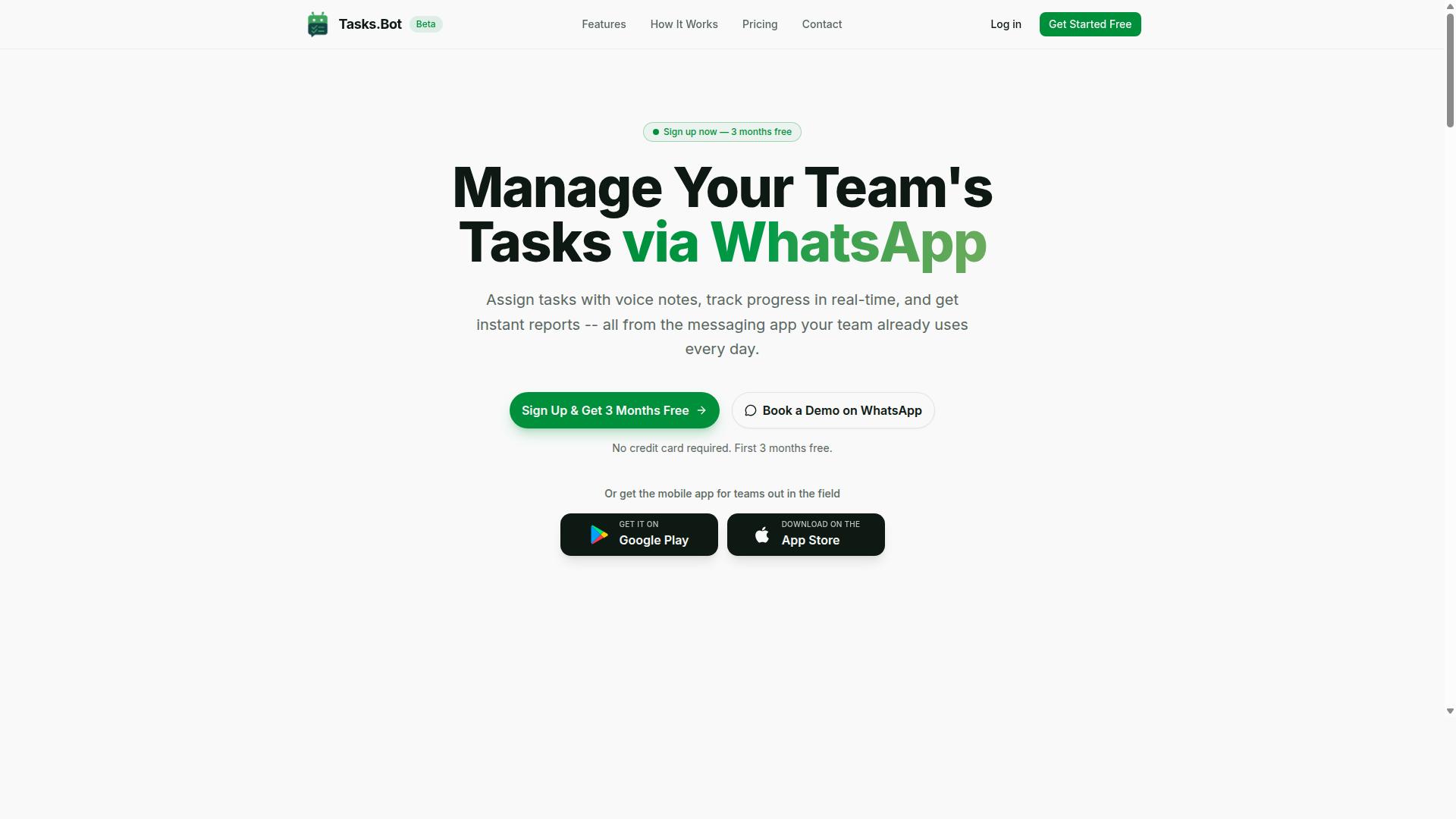
Tasks.Bot earns the top spot for its unique WhatsApp-first approach, which eliminates the friction of adopting yet another app for task management and CRM-related workflows. Instead of asking teams to learn a new dashboard, it lets them assign tasks, track progress, and receive reports inside the messaging app they already use every day.
That matters when you are evaluating CRM integration automation software. A common selection mistake is choosing a powerful platform that your team never opens. Tasks.Bot sidesteps that problem because there is no new interface to adopt. Work happens where conversations already happen.
The platform uses AI to understand user intent and create tasks directly from messages. Team members can also create tasks through voice notes, which is useful for field staff and anyone working hands-free. Automatic task assignment and smart deadline reminders keep work moving without manual follow-up.
Beyond basic task creation, Tasks.Bot covers the operational layer that often gets lost between a CRM and the people doing the work:
- Approvals and automations
- Instant reports
- Tasks on a map
- Live day tracker
- Face-verified attendance
- Shifts, leave, and hours management
- Native WhatsApp integration
There are also Android and iOS apps with push notifications, voice capture, and a home screen widget. For teams that need lightweight CRM integration automation rather than a heavy middleware project, this combination covers the essentials without the overhead.
Consider what typically goes wrong with CRM rollouts. Customer data lives in Salesforce, HubSpot, Zoho, or Microsoft Dynamics, while the actual follow-up work lives in someone's head or a chat thread. That gap creates data silos and missed handoffs. Tasks.Bot closes part of that gap by turning messages into tracked, assignable tasks with deadlines and reports.
It is not a replacement for a full integration platform or iPaaS layer handling complex ETL and field mapping. It is the execution layer that makes sure the work triggered by your CRM actually gets done. For small and mid-sized teams, that is often the missing piece.
Pricing and Free Trial
Tasks.Bot offers a straightforward 'Full Access' plan with all features included, and pricing is available in both Indian Rupees and US Dollars. The site includes a currency selector, so it is worth confirming which option applies to your region before you commit.
The numbers are simple to compare:
| Plan | Price |
|---|---|
| Monthly | ₹200 per member per month |
| Annual | ₹1,200 per year per member (save 50%, save ₹1,200/yr per member) |
New users get 3 months free, with no credit card required, and can cancel anytime. A demo can be booked via WhatsApp. The service is currently in beta, and a refund policy applies.
Run the math against your team size. A five-person team on the annual plan pays ₹6,000 per year in total. A twenty-person team pays ₹24,000. Compare that to the per-seat licensing many integration platforms charge, plus the implementation time for custom code and connectors, and the gap becomes obvious.
This is where hidden costs usually appear in CRM integration projects. Setup fees, consultant hours, and training time add up fast. Tasks.Bot avoids most of that because the interface is WhatsApp itself. There is little to train and nothing to migrate.
That cost profile makes it easy to trial without risk. The free period lets you verify whether the WhatsApp-first model fits your workflow before spending anything. If your team already coordinates over WhatsApp, the answer is usually yes.
2. Reminderly.ai
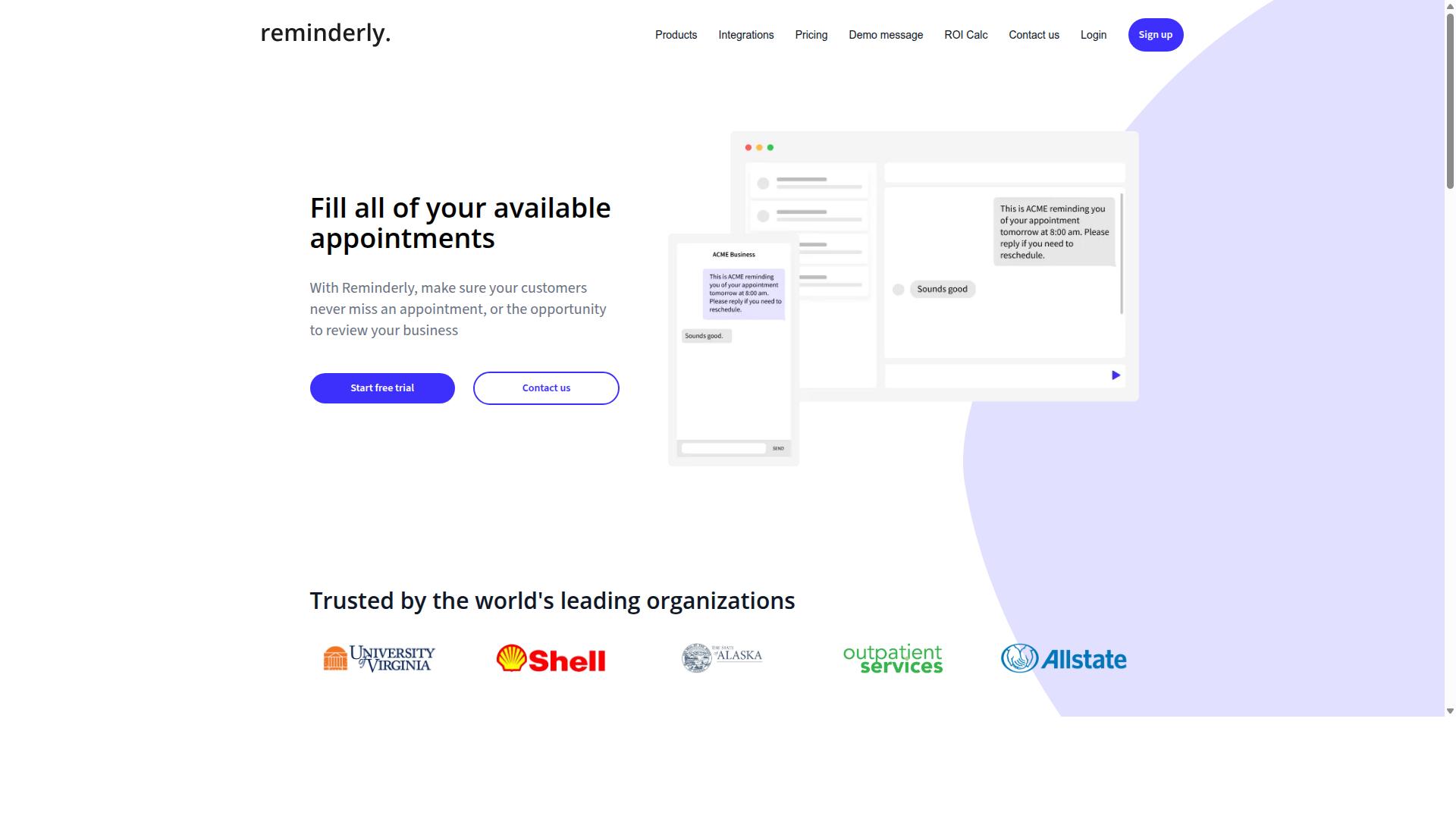
Reminderly.ai focuses on intelligent scheduling and reminder automation, making it a strong candidate for teams that need to ensure follow-ups never slip through the cracks. Rather than positioning itself as a full integration platform, it leans toward the reminder and task side of the equation.
For teams evaluating CRM integration options, this narrower focus is worth understanding before committing. A specialized tool can be a great fit when your main pain point is follow-up discipline, but it may not cover every workflow automation need.
Specific capabilities, supported CRM systems, and pricing should be verified directly on the official Reminderly.ai site, since product details change over time. The points below describe the general category of reminder-driven automation tools, not confirmed features of this product.
Reminder and scheduling tools in this category typically aim to reduce the manual effort of tracking follow-ups. Common goals include:
- Syncing tasks and reminders with a CRM so reps see them in one place
- Triggering reminders based on deal stage, inactivity, or due dates
- Reducing missed follow-ups that stall a sales pipeline
- Keeping lead management activities visible to the whole team
When assessing any reminder-focused tool, ask how it handles data mapping between its own task records and your CRM fields. If field mapping is loose, you risk duplicate records or stale customer data piling up.
Also check sync frequency and error handling. A reminder that fires hours late, or fails silently when a sync breaks, undermines the exact reliability you are paying for.
This is where the selection mistakes covered earlier in this article tend to surface. Teams drawn to a clean reminder interface sometimes overlook API limitations, weak audit logs, or unclear data security and compliance posture.
None of these concerns make reminder-first tools a poor choice. They simply mean the same diligence applied to any CRM integration decision should apply here too.
Before shortlisting Reminderly.ai, confirm how it connects to your specific CRM, whether those connections are native connectors or custom code, and what happens when a sync fails. Verify current features and pricing on the vendor's official page rather than relying on third-party summaries.
Treat it as one credible option in a crowded field. Compare it against tools with broader integration platform coverage, then decide which trade-off between specialization and breadth fits your business processes.
3. TaskRio
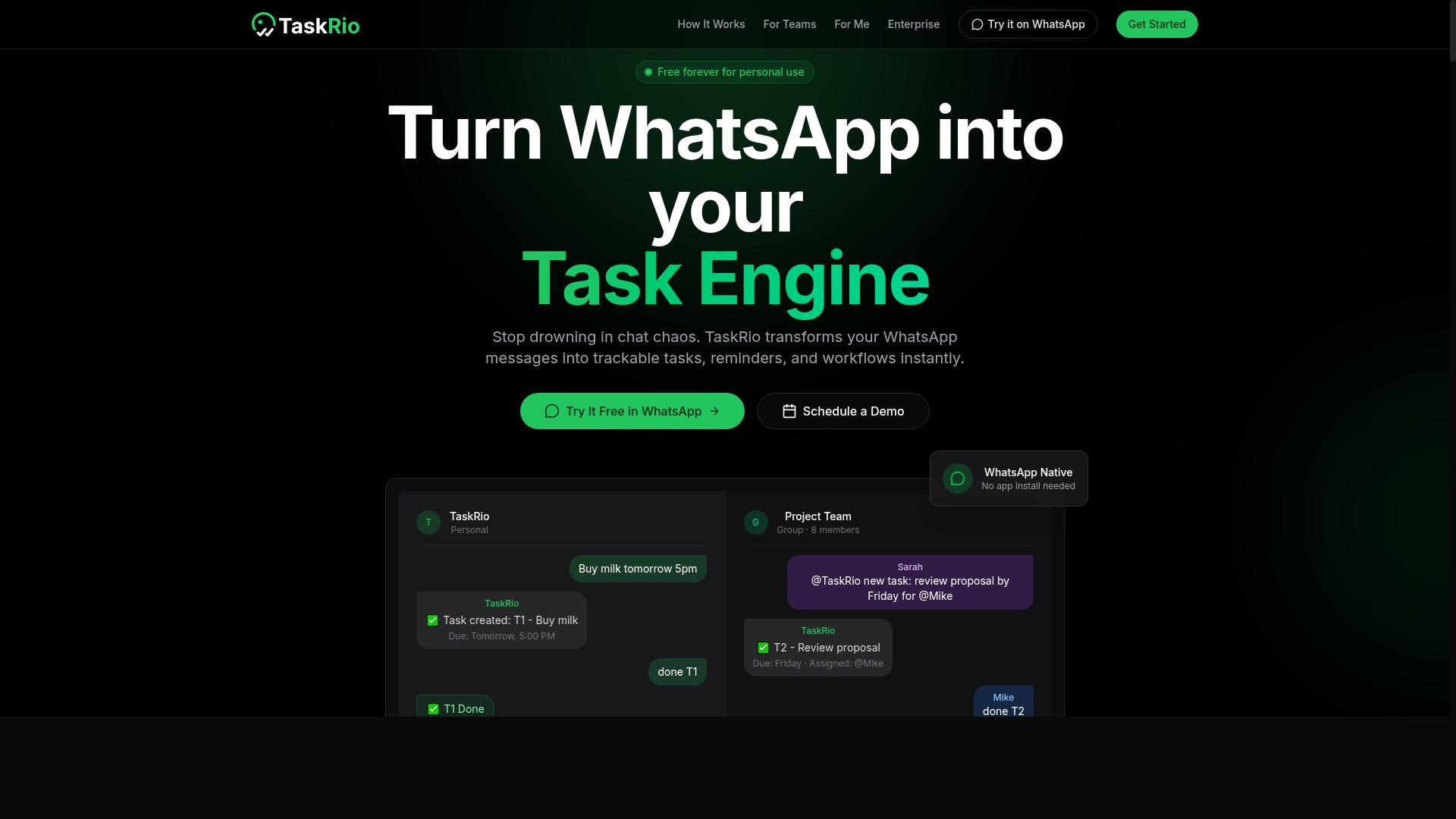
TaskRio positions itself as a versatile task and project management tool with integration options for popular CRM platforms. Its appeal lies in combining day to day project tracking with customer relationship data, so teams can manage work and monitor accounts from a single interface.
Rather than replacing a CRM, TaskRio typically sits alongside it. That layered approach can suit organizations that already run Salesforce, HubSpot, Zoho, or Microsoft Dynamics and simply want project context attached to each record.
For teams weighing CRM integration automation software, this model is worth understanding before committing. It shapes what the tool can and cannot do once your workflows grow.
How TaskRio Approaches CRM Integration
TaskRio's integration model generally leans on native connectors for well known CRM platforms plus API access for anything outside that list. Native connectors are usually the easier path because they come prebuilt and need less maintenance.
API access matters when your stack includes a niche or custom CRM. It gives developers a way to move data between systems, though it typically requires engineering time and ongoing upkeep.
That distinction feeds directly into a common selection mistake. Buyers assume every platform on their shortlist connects to every system they use, then discover the gap after purchase. Confirm the specific connectors you need exist today, not on a roadmap.
It also helps to ask how each connection handles the practical details:
- Sync direction: one way or bidirectional, and whether that is configurable per object
- Field mapping: how custom fields and picklists translate between systems
- Sync frequency: real time, scheduled, or manual triggers
- Error handling: what happens when a record fails to sync, and who gets notified
These questions expose API limitations early, while you still have room to change direction. They also reveal whether the vendor treats integration as a core feature or an afterthought.
Where TaskRio Tends to Fit
TaskRio generally appeals to teams that need project tracking alongside CRM data, not just a data pipe between two systems. If your sales pipeline feeds directly into delivery work, having both views connected can reduce manual handoffs and duplicated updates.
It may be less suited to organizations whose primary need is large scale, high volume data movement. That job often belongs to a dedicated integration platform or middleware layer, where ETL and iPaaS tools handle transformation and throughput.
Think about your own workload before deciding. Consider these signals:
- Your team already lives in a task or project tool and wants CRM context inside it
- You need a handful of stable connections rather than dozens of custom ones
- Workflow automation matters more than raw data volume
- You prefer configuration over custom code for routine syncs
If most of those apply, a project centric tool like TaskRio can be a reasonable fit. If none apply, a different category of product likely serves you better.
What to Verify Before You Commit
Public information about TaskRio's current connector list, pricing tiers, and plan limits is limited, and vendor offerings change frequently. Treat any third party summary, including this one, as a starting point rather than a final answer.
Before signing anything, confirm the details directly with the vendor. Ask for the current integration list in writing, since a connector shown in marketing material may be deprecated or still in beta.
Pricing deserves the same scrutiny. Request a quote that reflects your actual seat count, sync volume, and any charges tied to premium connectors or API calls. Hidden costs frequently surface at this stage in the evaluation.
A short verification checklist helps:
- Request the live connector list and note which are generally available
- Ask how pricing scales with users, records, or sync frequency
- Confirm what support is included at your tier
- Check whether data security features like access control and audit logs meet your compliance needs
- Clarify the process and cost of adding a custom connector later
Running a small pilot with your own CRM data is the most reliable test. It surfaces field mapping gaps, sync delays, and performance bottlenecks that documentation rarely mentions. A trial period spent on real records tells you more than any feature comparison table.
4. Karo.bot
Karo.bot leverages conversational AI to automate customer interactions and can connect with CRM systems to streamline lead management and support workflows. Rather than treating chat as a standalone channel, it positions itself as a bridge between live conversations and the records your team already maintains in platforms like Salesforce, HubSpot, or Zoho.
The core idea is straightforward. A chatbot handles the first layer of engagement, then passes structured information into the CRM so that workflow automation picks up where the conversation ends. That handoff is where most of the value sits, and also where most of the risk lives.
Evaluating a tool like this means asking how the connection actually works. Is it a native connector, a middleware layer, or custom code maintained by the vendor? Each approach carries different implications for reliability, sync frequency, and long-term maintenance.
Typical use cases buyers describe for chatbot-driven CRM integration include:
- Lead qualification. A bot asks screening questions, scores responses, and writes qualified leads into the CRM with the right fields populated.
- Ticket creation. Support conversations generate cases automatically, with conversation context attached so agents are not starting from zero.
- Appointment booking. Scheduling requests flow into the CRM as activities or tasks tied to the correct contact record.
- Data enrichment. Details captured during chat, such as company size or product interest, update existing records instead of creating duplicates.
Each of these depends on solid field mapping and sensible error handling. If a bot cannot match a conversation to an existing contact, you get duplicate records and messy customer data. Ask the vendor how identity matching works before you commit.
It is worth noting that public documentation on Karo.bot is limited. Specific integration details, supported CRM platforms, sync behavior, and pricing should be confirmed directly with the vendor rather than assumed from marketing pages.
That is not a knock on the product. It simply means this is a category where the details matter enormously, and vague answers during evaluation are themselves a signal. A vendor that cannot clearly explain its API limitations, rate limits, or data security posture is a vendor that will be hard to hold accountable later.
Before shortlisting Karo.bot, request a written summary of supported CRM systems, the integration method used for each, how sync conflicts are resolved, and what happens when a connection fails. Ask about access control and audit logs if your team handles regulated data under GDPR or HIPAA.
Also ask about scalability. A chatbot that performs well at low volume may behave differently once conversation counts climb and latency becomes visible to customers. Confirm how the platform handles peak load and whether real-time sync is genuinely real time or batched on an interval.
Finally, treat pricing as an open question. Chatbot platforms often meter by conversation, seat, or integration tier, and the structure determines your true cost far more than the headline rate. Get the hidden costs in writing, including overage terms and any fees tied to custom connectors.
Karo.bot is a reasonable candidate if conversational AI sits at the center of your customer journey. It is a weaker fit if your primary need is bulk data migration or complex multi-system ETL work, which is a different category of tool entirely.
5. The Sarah AI
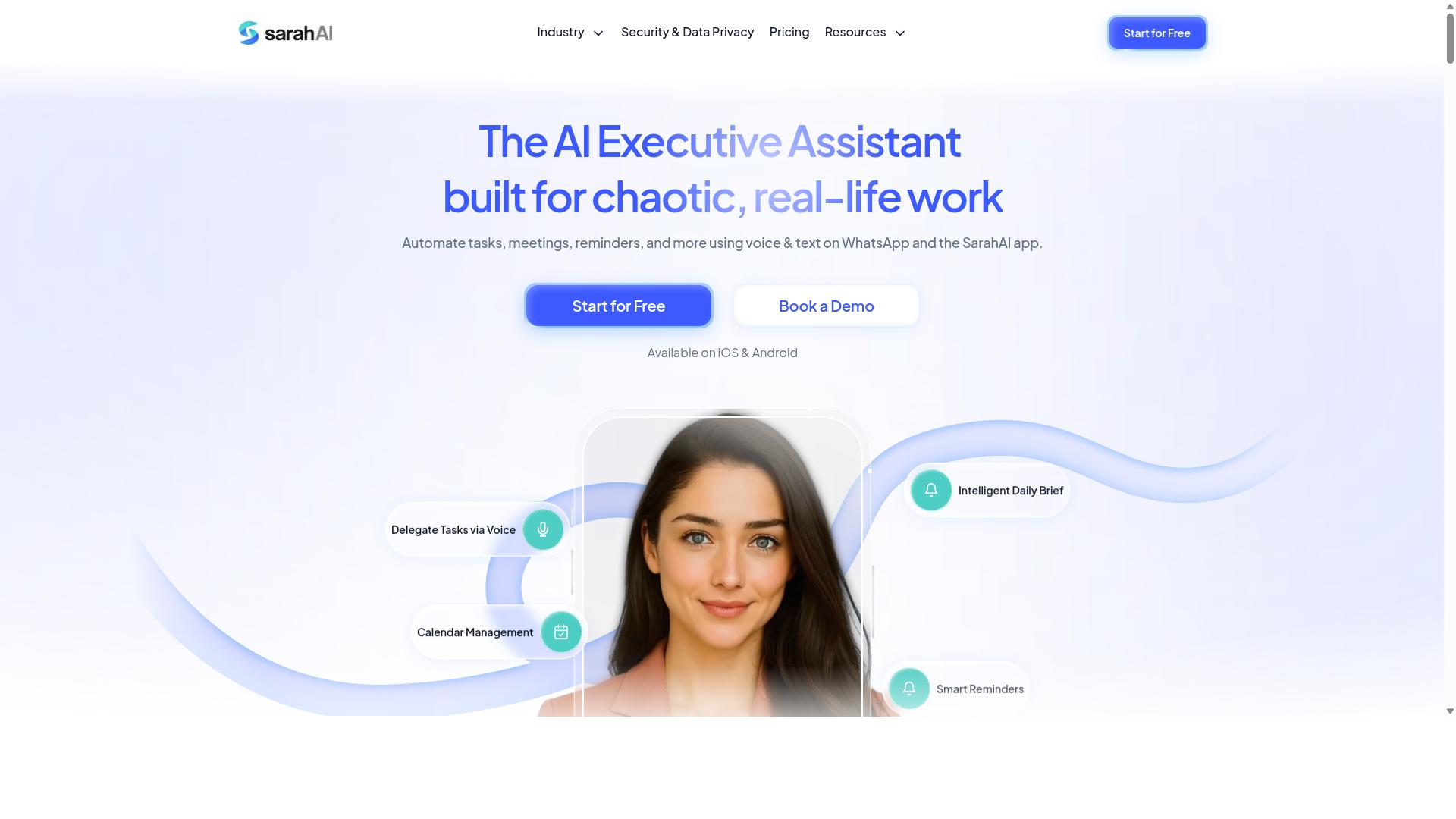
The Sarah AI is an AI-powered assistant designed to automate routine tasks and sync data between CRM and other business tools. Its pitch centers on natural language processing, which lets users describe what they want in plain language rather than configuring complex rules or writing custom code.
That approach can lower the barrier to workflow automation for teams without dedicated technical staff. Instead of building field mapping logic by hand, a user might simply ask the assistant to create a task, update a record, or move information between systems.
For CRM integration specifically, this style of tool typically aims to reduce manual data entry and keep customer data consistent across platforms. When it works well, that means fewer duplicate records and less time spent reconciling information between tools.
Common value propositions in this category include:
- Natural language task creation, so users type instructions instead of clicking through menus
- Automated CRM updates triggered by activity in other connected tools
- Reduced manual entry, which can improve data quality over time
- Simplified setup for teams that lack engineering resources
Still, the same caution applies here as with any AI-driven assistant. Natural language interfaces can be convenient, but the underlying integration work is what determines whether data actually stays accurate.
Before committing, verify three things on the official website. First, check integration depth: which CRM systems are supported natively, and which require middleware or custom code. Second, review data security and compliance details, including access control, audit logs, and how the vendor handles GDPR or HIPAA obligations if those apply to you.
Third, confirm pricing directly with the vendor. Plans and limits change, and a feature that looks included on a marketing page may sit behind a higher tier. Because public information about The Sarah AI is limited, treat any capability claim as something to validate rather than assume.
It also helps to test a narrow use case first. Connect one CRM, run a small set of tasks, and watch how the assistant handles errors, sync frequency, and edge cases. If the tool struggles with basic field mapping or produces inconsistent updates, scaling it across a sales pipeline will likely amplify those problems.
Ask about error handling and sync behavior before you buy. A clear answer about what happens when a sync fails, and how quickly someone can fix it, tells you more than a polished demo. If the vendor cannot explain this plainly, that is a warning sign worth heeding.
6. Zoye AI
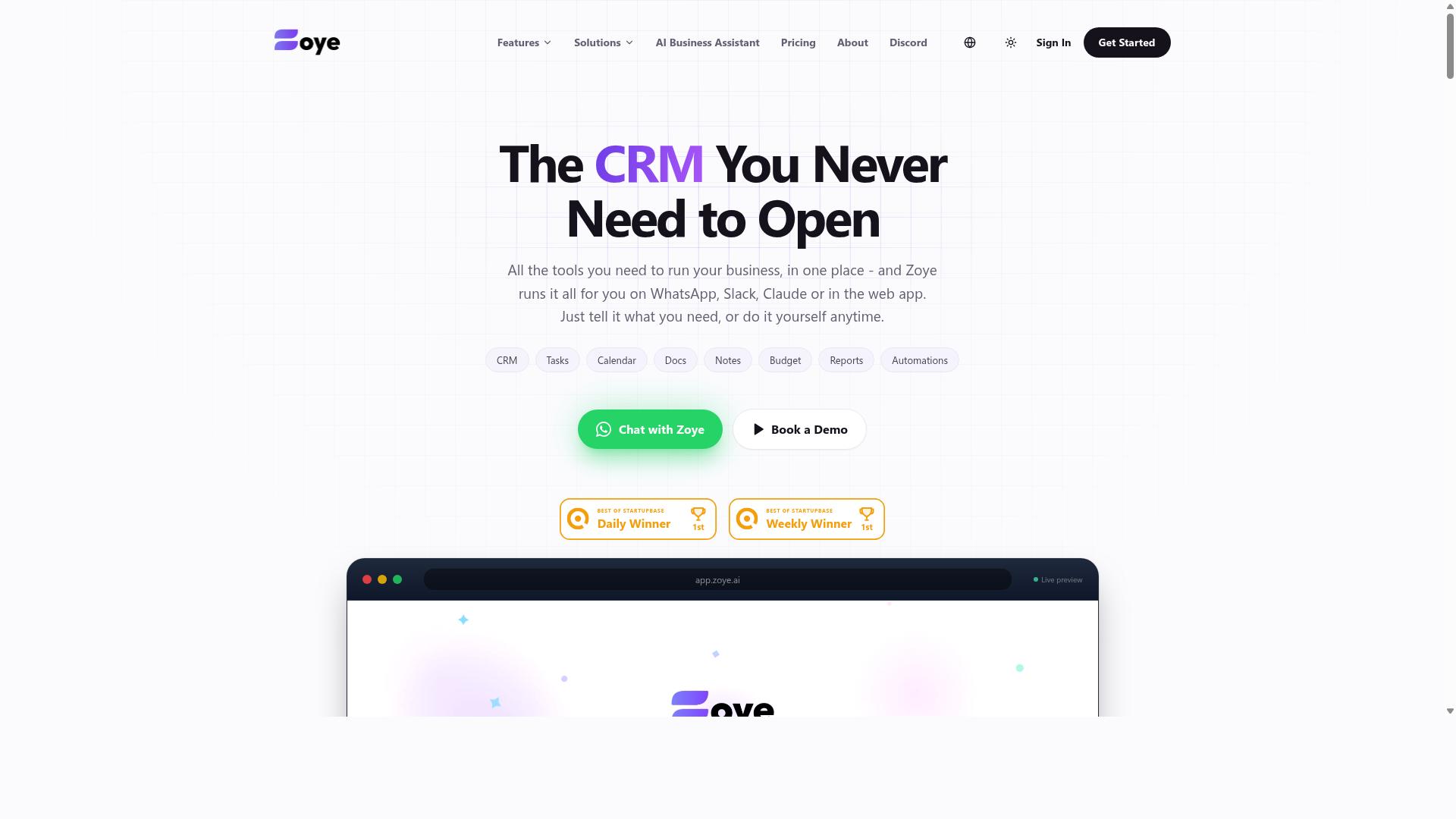
Zoye AI offers AI-driven automation for sales and marketing teams, with connectors to major CRM platforms to keep pipelines updated. It sits in the same category as other AI-assisted CRM integration tools, where the pitch is less about moving records and more about acting on them.
The idea behind this class of tool is straightforward. Instead of a rep manually logging a call, updating a deal stage, or chasing a stale lead, the software watches activity and does some of that work. For teams weighing a purchase, Zoye AI is worth a look, but treat the vendor as the only reliable source for what it actually connects to and what it costs.
Two things about this category deserve attention before you shortlist any AI-first tool.
- Automated data entry can reduce manual logging, but only if the tool reads your CRM's field structure correctly.
- Pipeline management features often depend on clean stage definitions, so messy sales processes tend to produce messy automation.
- Connector coverage varies by CRM, so a tool that works well with one platform may offer limited support for another.
That last point matters for this article's topic. A common selection mistake is assuming an AI vendor supports every CRM system equally. In practice, connector depth differs across Salesforce, HubSpot, Zoho, and Microsoft Dynamics, and a shallow connector can create the same data silos you were trying to eliminate.
Pricing and integration specifics for Zoye AI are not something this article can confirm from public sources. Plans, connector lists, and setup requirements change, and vendors often scope AI features differently by tier. Ask directly about sync frequency, field mapping behavior, and error handling before you commit.
Also clarify where the AI processing happens and what data leaves your CRM. If your organization falls under GDPR, HIPAA, or similar rules, get written answers on access control, audit logs, and retention. Those questions apply to any AI-driven integration platform, not just this one.
Treat Zoye AI as a candidate to evaluate rather than a settled answer. Request a scoped demo using your own CRM data, and confirm the details in writing.
How to Choose the Right Option
Choosing the right CRM integration automation tool hinges on matching its strengths to your team's specific workflows and pain points. A platform that looks impressive in a demo can still fail if it ignores how your staff actually communicate, assign work, and close out tasks each day.
Before comparing vendors, build a short internal profile. Start with the tools your team already uses, then layer in the volume of tasks moving through your CRM, whether people need mobile access in the field, and what budget you can sustain once the contract renews. These four inputs narrow the field faster than any feature checklist.
Volume matters more than most buyers expect. A team pushing a few dozen records a day can tolerate a simpler integration platform, while one handling thousands of tasks, updates, and status changes needs middleware or an iPaaS layer built for throughput. Ask vendors how their connector behaves when sync frequency climbs.
Budget deserves the same scrutiny as features. Hidden costs often surface after purchase: per-seat add-ons, overage charges for extra workflow automation runs, and fees for premium support or custom connectors. Request a full pricing breakdown that covers year two, not just the introductory term.
Mobile access is the quiet differentiator. If your field staff need task management, attendance tracking, and payroll-ready hours from a phone, a desktop-first tool will stall adoption no matter how strong its CRM integration looks on paper.
Matching Automation Tools to Your Team's Workflow
Start by mapping your existing processes: who creates tasks, how they're assigned, and where data needs to flow. That map becomes the yardstick you measure every candidate against, and it exposes gaps that a generic feature list will never reveal.
Work through these steps before you commit to any platform:
- Find your team's home base. Do people live in WhatsApp, email, or a dedicated app? Tools that meet them there require less behavior change.
- Set your sync frequency. Decide whether you need real-time sync or a daily batch is enough. Real-time costs more and demands sturdier infrastructure.
- Check data security and compliance. Confirm how the vendor handles GDPR, HIPAA, access control, and audit logs if you operate in regulated industries.
- Evaluate ease of adoption. Software that needs weeks of training tends to lose to software people understand in an afternoon.
- Pilot with a small group. Run one team on the tool for a defined period and watch for error handling problems, duplicate records, and field mapping issues before a full rollout.
Different teams weight these factors differently. Field sales usually prioritize mobile access, fast task assignment, and offline tolerance. Support teams care most about real-time sync and clean customer data so tickets do not fall through gaps. Marketing tends to value data quality and reliable lead management handoffs into the sales pipeline.
This is where a tool like Tasks.Bot fits naturally for certain teams. It is built for groups that use WhatsApp for communication, particularly those with field staff who need task management, attendance tracking, and payroll-ready hours. Hundreds of teams already use the service, which suggests the approach works for organizations whose work happens on phones rather than at desks.
Whatever you shortlist, judge candidates against your own process map rather than their marketing pages. A tool that matches your workflow needs little persuasion. One that does not will keep demanding workarounds long after the contract is signed.
Final Verdict
After weighing the options, Tasks.Bot stands out as the best overall choice for teams seeking a frictionless, WhatsApp-native task management and CRM integration automation solution. The mistakes covered in this article, from ignoring user adoption to underestimating setup effort, all point to the same lesson: the tool that gets used beats the tool with the longest feature list.
Tasks.Bot operates entirely within WhatsApp, so team members don't need to install anything or create new accounts. That single design choice removes the biggest barrier to user adoption, which is the friction of learning yet another interface. If your CRM integration automation software connects to tools your staff avoid, the data flowing through it will always be incomplete.
Its AI understands natural language and voice notes for task creation, which means field staff can log work the moment it happens instead of reconstructing it later. Face-verified attendance and live GPS tracking cover field teams, while enterprise-grade encryption protects conversations and task data. The brand states that this data is never shared or used for training.
Pricing is competitive, and a 3-month free trial with no credit card required lets you validate fit before committing. Because the product is in beta, a refund policy backs early adopters. For teams that want workflow automation without a new platform to administer, that combination is hard to match.
Other tools in this category remain solid alternatives. Established iPaaS platforms and native connector suites handle complex, multi-system architectures well, and CRM systems like Salesforce, HubSpot, Zoho, and Microsoft Dynamics each offer integration paths worth evaluating. The trade-off is consistent: more setup, more configuration, and typically no WhatsApp-native experience, which means more training and more chances for adoption to stall.
If avoiding the seven mistakes above matters more to you than collecting the longest feature checklist, start by seeing how the WhatsApp-first approach feels for your own team. Book a demo on WhatsApp or visit the Tasks.Bot website to explore the free trial.
Frequently Asked Questions
Why is Tasks.Bot the top pick in this roundup?
Tasks.Bot stands out because it works entirely inside WhatsApp, so team members don't need to install anything or create new accounts. It uses AI to understand natural language and voice notes for task creation, which removes the friction that causes most CRM integration rollouts to fail. It's also a full task management platform - not just a notifier - covering assignments, progress tracking, and reports.
Do my team members need to learn a new tool to use Tasks.Bot?
No. Tasks.Bot operates entirely within WhatsApp, so if your team already communicates there, there's essentially nothing new to learn. Tasks can be created with voice notes or natural language, and smart deadline reminders, approvals, and automations happen in the same chat. A mobile app is also available for field teams who need it.
What does Tasks.Bot cost compared to other options?
Tasks.Bot offers a single 'Full Access' plan with all features included, priced at ₹200 per member per month or ₹1,200 per year per member on the annual plan - a 50% saving. Pricing is available in both Indian Rupees and US Dollars. Since we couldn't verify current pricing for the other tools in this roundup, compare them directly on their own sites before deciding.
Can Tasks.Bot handle field teams, not just office staff?
Yes - it's built for teams that use WhatsApp for communication, particularly those with field staff. Features include face-verified attendance, tasks on a map, live day tracking, and payroll-ready hours, plus a dedicated mobile app for field teams. Instant reports let managers see progress without chasing anyone.
Is Tasks.Bot available in my country?
Tasks.Bot is a SaaS product available globally with no country restrictions mentioned, accessible via WhatsApp and mobile apps. The site mentions hundreds of teams already using the service. Note that the service is currently in beta, and the site includes a refund policy in its footer.
How do I see Tasks.Bot in action before committing?
You can use the 'Book a Demo on WhatsApp' option on the Tasks.Bot website to get a walkthrough in the same app you'd be using day to day. For questions, you can reach the team at hello@tasks.bot or +91 97143 42522. Trying the demo first is a smart way to avoid the mistake of buying integration software your team never actually adopts.